How to Use C1, C2, and C3 Custom Modes on Your Camera
What Are C1, C2, and C3 Custom Modes?
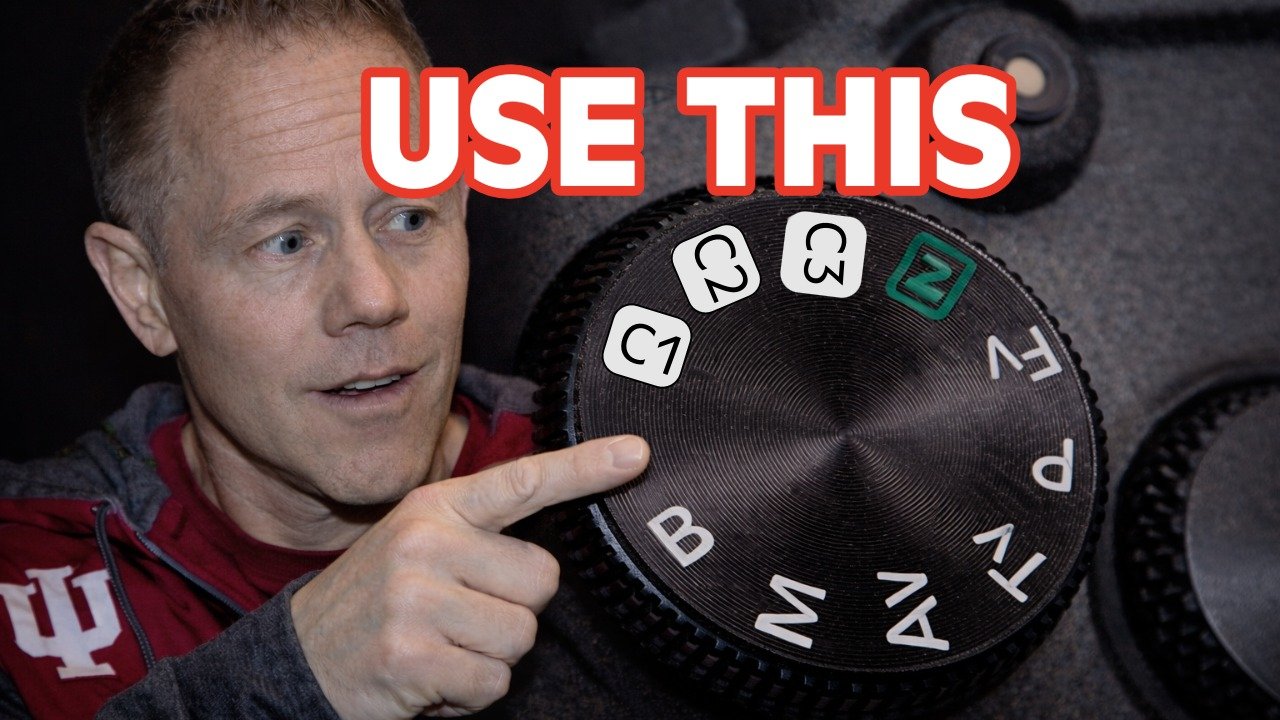
Camera Mode Dial
If your camera has C1, C2, or C3 on the mode dial, you may be overlooking one of the most powerful features available to beginner and intermediate photographers.
These custom modes (also called memory modes) allow you to save complete camera setups and switch instantly between them.
Instead of adjusting settings every time your shooting situation changes, you simply turn the dial.
In this guide, I’ll show you how to set up and use C1, C2, and C3 effectively.
C1, C2, and C3 are programmable shooting modes found on many mid-range and advanced cameras.
They store a combination of:
Exposure settings (aperture, shutter speed, ISO)
Autofocus configuration
Drive mode
Metering mode
White balance
And more (depending on your camera model)
Think of them as preset shooting environments.
When you rotate the dial to one of these modes, your camera instantly loads the saved configuration.
Why Custom Modes Matter
Most photographers miss shots not because they don’t understand photography — but because they aren’t ready.
You’re shooting casually.
Suddenly something moves.
You start adjusting settings.
The moment is gone.
Custom modes remove that hesitation.
They allow you to prepare for scenarios in advance.
Example C1, C2, and C3 Setup for Beginner & Intermediate Photographers
Here’s a practical configuration you can start with that you could assign to each memory location. These are just some examples and you should make your own selections for what you want saved in each memory location.
C1 – Everyday / Walkaround Mode
Aperture Priority
Auto ISO
Single point autofocus
Single shot drive mode
This is your safe, general-purpose setup.
C2 – Action Mode
Shutter Priority or Manual
Faster shutter speed
Continuous autofocus (AI Servo / AF-C)
High-speed burst mode
Perfect for sports, wildlife, or moving subjects.
C3 – Low Light Mode
Manual mode
Higher ISO
Slower shutter (as needed)
Stabilization enabled
Great for evening events or indoor shooting.
The Biggest Mistake Photographers Make With Custom Modes
Most photographers either:
Never set them up
Or program them once and never update them
Your shooting style evolves.
Your saved modes should evolve too.
Treat custom modes like living presets.
Review them periodically and refine them based on what you actually shoot.
Are Custom Modes Worth Using?
If your camera has memory locations on the mode dial, the answer is yes.
They:
Save time
Reduce stress
Increase readiness
Help you capture more decisive moments
It’s one of the simplest workflow upgrades you can make.
Watch the Full Breakdown
If you’d like to see exactly how to program C1, C2, and C3 step-by-step, watch the full video below:
Want More Practical Photography Tips?
I share real-world camera setup advice every week in my free newsletter.
👉 Join here: https://www.practicingphotography.com