How to Set Up Auto Exposure Bracketing (AEB) – Step by Step
Auto Exposure Bracketing (AEB) is one of the simplest ways to handle high-contrast scenes — snow, bright skies, sunsets, or fall color — without buying new gear or guessing at exposure.
This guide walks you through exactly how to set up AEB, step by step, on most modern cameras.
What Is Auto Exposure Bracketing?
Auto Exposure Bracketing means your camera automatically takes multiple (3-5) photos at different exposure levels:
One correctly exposed
One underexposed (to protect highlights)
One overexposed (to reveal shadow detail)
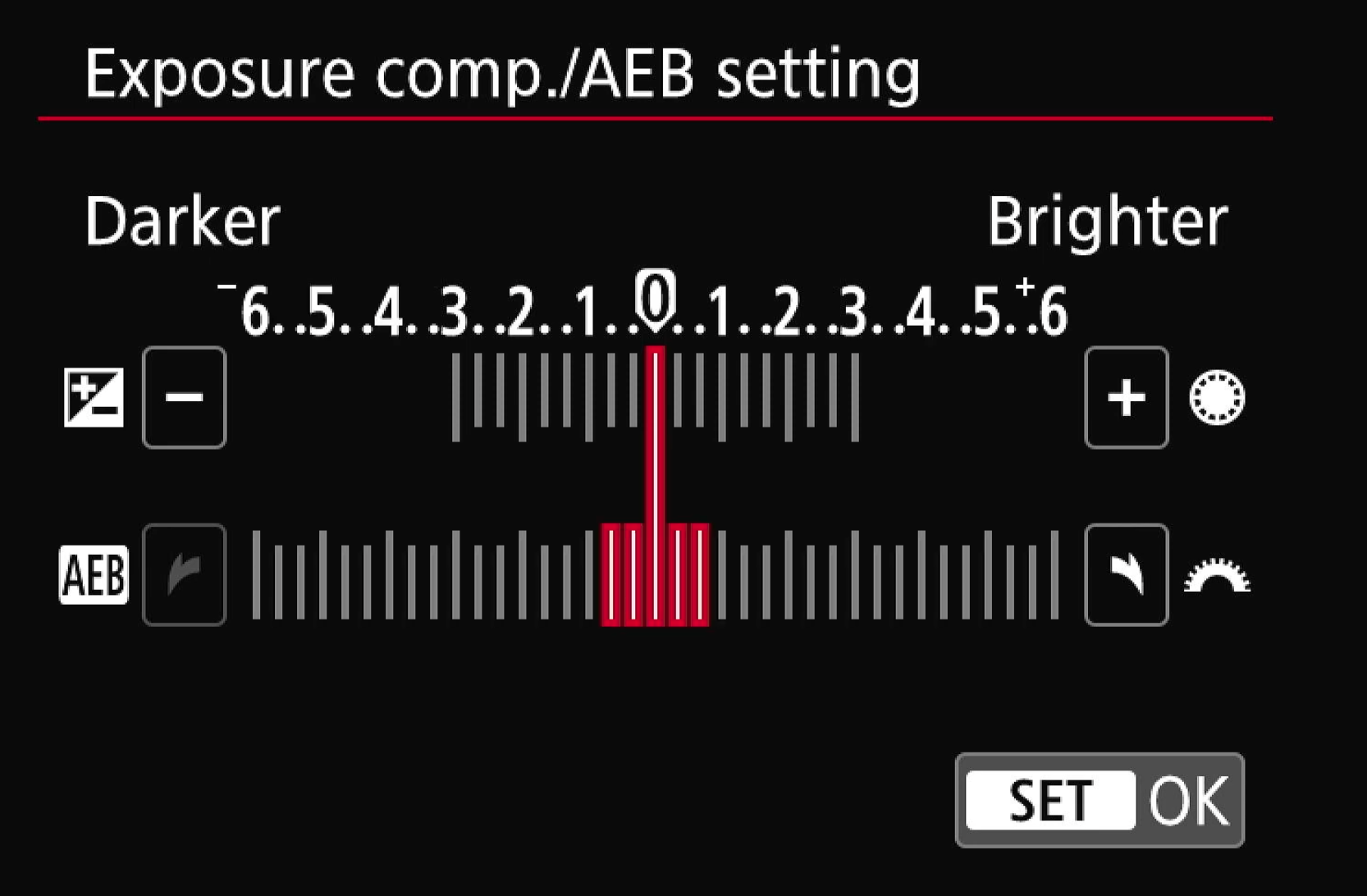
You can then:
Choose the best single image, or
Combine them later if you want maximum dynamic range
The key benefit: you stop forcing the camera to guess what matters.
When You Should Use AEB
Use AEB any time your scene has:
Bright highlights and dark shadows
Snow with trees or buildings
Bright skies over darker land
Sunrises, sunsets, or dramatic clouds
If your photos often look “nothing like what you saw,” AEB is a strong signal.
Step-by-Step: How to Set Up AEB
Step 1: Set Your Camera to Aperture Priority
Set your mode dial to Aperture Priority (A or Av).
Why this matters:
You control depth of field
The camera automatically adjusts shutter speed
All bracketed images maintain the same look
Avoid Manual mode when learning AEB — Aperture Priority is faster and more forgiving.
Step 2: Set ISO to 100
Set your ISO as low as possible (typically ISO 100).
This gives you:
Maximum image quality
Cleaner shadows
Better results if you decide to merge exposures later
Step 3: Turn On Auto Exposure Bracketing
Open your camera’s menu and locate Exposure Bracketing or AEB.
Once enabled:
Choose 3 shots (this is plenty for most scenes)
Set the bracket range to ±1 stop to start
This means your camera will capture:
One normal exposure
One darker exposure
One brighter exposure
You can experiment with wider brackets later, but ±1 stop is a great default.
Step 4: Enable a 2-Second Self Timer
Set your drive mode to a 2-second timer.
This allows:
All bracketed shots to fire automatically
Minimal camera shake
Hands-off shooting once composed
You press the shutter once, and the camera does the rest.
Step 5: Compose and Focus
Frame your shot and confirm focus.
Important reminders:
Double-check that autofocus isn’t accidentally turned off
Make sure nothing important is clipped at the edges
Once everything looks good, press the shutter and let the camera capture the full bracket.
What to Do After the Shots
After shooting, you have two simple options:
Use the center exposure if it looks great on its own
Choose the best exposure depending on what matters most
Even if you never combine images, AEB gives you options — and options mean fewer missed shots.
AEB Works on More Than Just Cameras
Exposure bracketing isn’t limited to high-end gear:
Entry-level cameras
Mirrorless systems
DSLRs
Even many drones
If your device was made in the last several years, there’s a good chance AEB is already there.
Final Thought
The biggest mistake photographers make isn’t using the wrong settings — it’s letting the camera decide what’s important.
Auto Exposure Bracketing puts that decision back in your hands.
Once you start using it, you’ll wonder why you ever trusted a single exposure.